
The document is ready. The process isn’t.
SAP data is used to create invoices, order confirmations, purchase orders or delivery notes. But there is usually more to these documents than simply generating them. Content changes. Language and layout variants are added. Documents are reviewed, processed further and delivered through different channels. In some cases, information from additional systems is also included.
SAP S/4HANA Output Management can be used to determine, among other things, the recipient, output channel and form template. When documents also need to be processed, enriched, approved or distributed across multiple systems, document generation becomes part of a broader output process.
The key question is no longer just how the document is created. It is how data, content, processing and output work together.
This is where an external output management system can complement SAP. SAP remains the leading system for the business transaction, while additional tasks within the document and communication process can be managed wherever they are best handled from a business and technical perspective.
For an overview of how SAP data can be used to generate PDFs and forms, and the role Adobe Forms can play, see our article “Generating PDFs from SAP: What You Need to Know.”
SAP and neeyo working together
Clear responsibilities. One end-to-end output process.
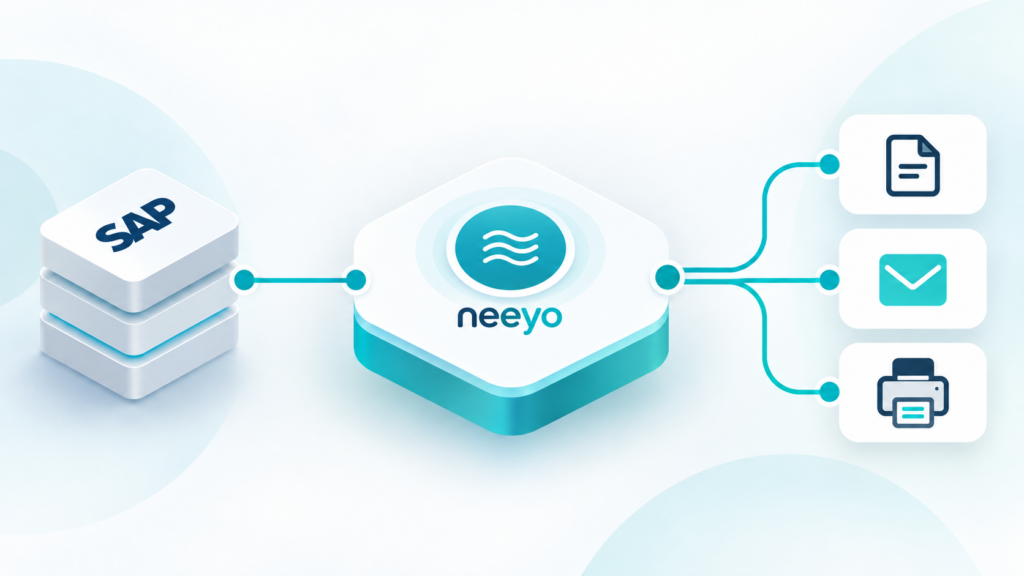
SAP provides the business context and relevant data. The neeyo Suite can complement SAP wherever documents need to be created, content centrally managed, additional information integrated, processing steps automated or different output channels managed.
How these responsibilities are divided depends on the existing SAP and system landscape. A document already generated in SAP can, for example, be transferred to an external output management system for further processing. In other scenarios, SAP data is combined with templates, text modules or information from additional business systems.
SAP therefore remains firmly integrated into the business process, while specific tasks around document generation and output can be extended where needed.
From business transaction to finished communication
One transaction. Four typical tasks in the document process.
Depending on the underlying architecture, an SAP output process with neeyo can be divided into four main areas:
- Provide business data
SAP provides the relevant data and context for the business transaction. - Prepare documents and content
Templates, text modules, language versions and layout variants are applied. Documents can also be prepared to meet requirements such as accessibility standards, including PDF/UA. Where needed, information from additional systems can be incorporated. - Control processing
Rules, checks and approvals are integrated into the process. Documents can, for example, be standardized, combined or processed further for specific formats. - Deliver output
The completed documents and communications are delivered through the required channel – for example by email, through a portal, via messaging services or in print. Formats such as PDF or structured e-invoices are prepared accordingly for further distribution.
The neeyo Suite supports these tasks from document generation and processing to workflow and distribution.
What clear responsibilities mean in day-to-day operations
Complex requirements. Clearly managed.
Centrally managed content and reusable components provide a reliable foundation for different documents and variants. Changes are made in a defined location and applied consistently wherever they are needed.
Clear roles separate content management from technical tasks. Business teams can maintain defined content themselves, while integrations and system changes remain with IT. This means that not every text or content change becomes an SAP development task.
When additional systems are involved, their information can be integrated wherever it is needed for the communication process. Rules, checks and approvals help keep workflows transparent and traceable.
Performance also plays a central role even with high document volumes and complex output processes. High-performance document generation and processing ensure that even extensive or variant-rich documents are reliably rendered and made ready for further output.
This allows existing SAP processes to remain in place while adding further capabilities for content, processing and output.
Typical SAP output processes
One principle. Different business transactions.
Invoices and billing documents
SAP provides the relevant business and billing data. Further along the document process, additional information, country-specific content or different layout variants can be added.
Depending on the requirements, invoices can then be prepared as PDFs or structured e-invoice formats and delivered digitally or in print.
Order confirmations, purchase orders and delivery notes
Traditional SAP business documents also often vary by company, language, product or recipient.
Centrally managed templates and reusable content make it easier to manage these variants consistently. Changes to shared components can be maintained in one place and reused across the relevant documents.
Contract, customer and service communications
Not every communication process relies exclusively on data from SAP. Contract documents, service information and individual customer communications often combine data from several business systems.
An end-to-end document process brings this information together with the relevant content, rules and approvals and prepares it for the respective communication scenario.
The same principle can be applied to other use cases – from pricing and product communication in retail to tariff and service communication for utilities.
For technical integration with SAP S/4HANA, neeyo provides an SAP-certified integration based on the S/4-BC-XOM integration scenario.
For technical integration with SAP S/4HANA, neeyo provides an SAP-certified integration based on the SAP-certified integration integration scenario.
The implementation of the S/4-BC-XOM Interface 2.2 has been certified. This confirms that the technical interface integration meets the relevant SAP certification requirements.
Read more on this topic: Read our article „Generating a PDF from SAP: What is important“.